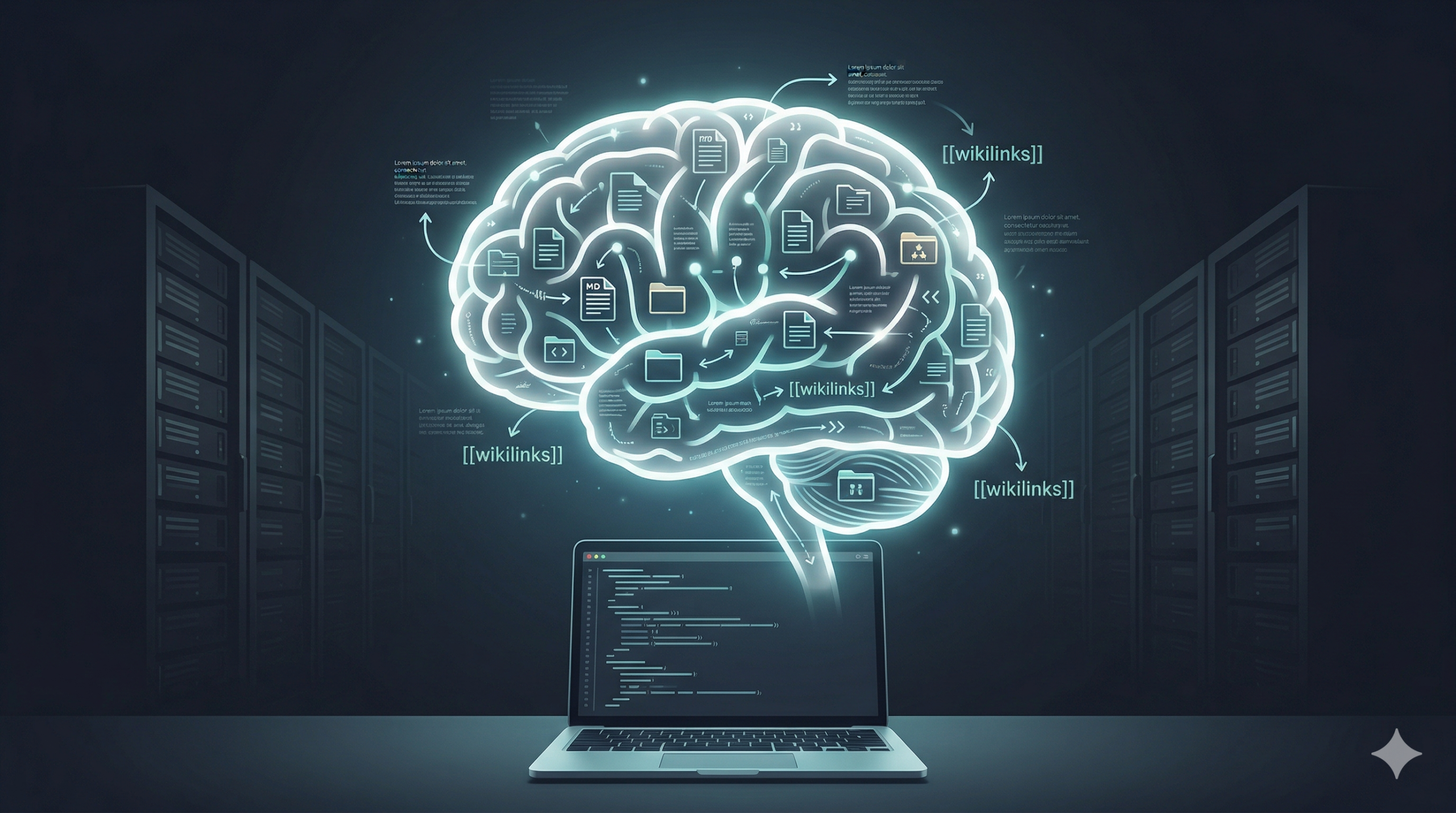
Your Second Brain Shouldn’t Live in Someone Else’s Database

The average knowledge worker has their thinking scattered across browser tabs, Slack threads, email chains, and notebooks that haven’t been opened since last quarter. Most of it is gone the moment the tab closes. The rest is findable in theory and lost in practice.

A second brain fixes that — a single place where your thinking accumulates, connects, and compounds over time. The idea isn’t new.

What is new is what happens when you give that brain to an AI. Not as a search index. As context. Suddenly the AI you’re working with knows about the decision you made three months ago, the constraint you discovered last week, the small but critical detail you’d long forgotten because it was buried in a note from a Tuesday in February. It doesn’t just retrieve — it reasons. It helps you build projects with context no chat window, no SaaS platform, no fresh conversation can match.

The question isn’t whether to build one. It’s whether to build it in a way that actually works — or hand your thinking to someone else’s platform and hope they’re still around in three years.


A video dropped yesterday. “Claude Code + Karpathy’s Obsidian = New Meta.” 189,000 subscribers. Already circulating in the feeds of everyone who thinks about AI and productivity.

I’ve been running this setup for months.

Not because I saw a video. Because I tried everything else first and this is what survived.


I Did It the “Proper” Way First

When I wanted to build a second brain with AI, I did what any technically-minded person does: I reached for the right tools. Vector embeddings. Pinecone. Ingestion pipelines. I built an HR chatbot with N8N and Pinecone as the backend. I tried wiring Notion up with a Pinecone-backed retrieval layer.

These are legitimate approaches. I’ve shipped them in production. I know what they take.

And for a personal knowledge system, they were completely wrong.

Here’s what nobody tells you about RAG: the pipeline is the product. Before you can search your knowledge, you have to build and maintain the system that turns your knowledge into searchable vectors. Every new note is a workflow step. Every source needs chunking, embedding, syncing. When your source material changes, your embeddings drift. The thing that was supposed to help you think now needs its own maintenance schedule.

I didn’t want to maintain a pipeline. I wanted to think.


What I Actually Run

The setup is embarrassingly simple.

Obsidian for the vault. Every note is a markdown file. Every file lives on my machine, backed by a private Git repository.

Claude Code as the AI layer. It talks directly to the filesystem — reads files, writes files, updates notes, maintains structure. No API middleware. No ingestion step. No embeddings.

A CLAUDE.md file that tells Claude the rules of the system: where things live, what conventions to follow, how to behave in this vault specifically.

Session skills — a /session-start that warm-starts every conversation from vault context, and a /session-end that writes a structured note capturing what we did, what decisions were made, and what to pick up next time.

That’s the minimum viable version. If you have Obsidian and any LLM that can interact with the filesystem — Claude Code, Cursor, Windsurf, take your pick — you can build this today.


Why This Beats RAG for Personal Knowledge

Three reasons. All learned the hard way.

1. No ingestion tax.

With RAG, every piece of knowledge has to pass through a pipeline before it’s usable. With this setup, I write a note and it exists. Claude reads it when it’s relevant. That’s the entire workflow. Half the time, I don’t even run /session-start manually. Claude just does it. The friction is so low it effectively disappears.

2. Markdown is portable. Databases aren’t.

Notion is prettier. I genuinely don’t care. Function over style, every time. My notes are markdown files. They open in any editor, on any machine, without an account or an API key. If I switch from Claude Code to something else tomorrow, my vault doesn’t care. The knowledge stays mine. I’ve watched people lose years of Notion content to export limitations. I’ve seen Roam users scrambling when pricing changed. Your knowledge shouldn’t be held hostage to a product decision you had no part in.

3. Data sovereignty.

This is the one I feel most strongly about. The video recommends Pinecone — a SaaS vector database. NotebookLM — Google’s product. The entire “new meta” stack has your most personal knowledge distributed across third-party platforms, each with their own terms of service, their own pricing models, their own sunset risk.

My knowledge lives on my machine and in my own Git repository. Change IDE — still works. Change LLM provider — still works. Anthropic disappears tomorrow — still works.


The Privacy Question You’re Probably Asking

You might be thinking: aren’t you just sending your notes to Anthropic instead of Pinecone? Fair challenge. The difference is storage versus processing — your notes pass through to generate a response and that’s it. I’m on a consumer plan with model training opted out, which takes about ten seconds in account settings. My notes don’t live on Anthropic’s servers. With Pinecone, your data does — permanently, on their infrastructure, under their terms. That’s the meaningful difference.

If you want zero data leaving your machine at all, swap Claude Code for a local model. Ollama works. The vault doesn’t care which LLM is reading it. That’s exactly the point — the system doesn’t depend on any single vendor being trustworthy. You can swap the LLM layer without touching your knowledge. Try doing that with your Pinecone index.


What It Looks Like at Scale

The minimum viable setup — Obsidian plus a file-aware LLM — is genuinely useful from day one.

But I’ve been running something more elaborate. There’s a second agent in this system: Jarvis, running on a Raspberry Pi 5. Jarvis generates my daily briefing each morning, maintains the vault overnight, handles the housekeeping I don’t want to think about. My own entry points now include voice notes from Meta Rayban smart glasses, Telegram messages, and a custom Jarvis UI with TTS. All of it ends up in Obsidian. That’s a different article. The point is: the foundation is just markdown files and a terminal. Everything else is built on top of that.


What I Haven’t Solved Yet

One honest gap: the hyperlink problem.

Obsidian’s power is in the connections between notes — the [[wikilinks]] that build a graph of your thinking. Right now, those links are created manually or as a side effect of Claude working in the vault. There’s no agent that looks at new notes overnight and says: this connects to that, and that connects to this. It’s a solvable problem. I just haven’t built it yet. I mention it because the “new meta” framing tends to imply a finished system. This one isn’t finished. It’s a living thing, and that’s partly why it works.


The Actual New Meta

The video is good. The instinct is right. Reasoning over your knowledge, not just retrieval of it — yes. Structured notes rather than disconnected chunks — yes.

But the “meta” isn’t Claude Code plus Obsidian. The meta is owning your knowledge stack.

Simple enough to maintain. Portable enough to survive tool changes. Private enough that you control what it knows. You don’t need a vector database. You don’t need an embedding pipeline. You need a folder of markdown files and something that can read them.

Start there.


Next: adding an overnight agent to the system — what Jarvis actually does and why it changes everything.
When AI Leads You Down a Rabbit Hole

Flat illustration of unplugged cable and human head with brain, in burnt orange palette, symbolising humans regaining control from machines

By Steve Mitchell | Steve’s AI Diaries

It was supposed to be 30 minutes. Just a quick check-in on my N8N automation project after a 12-hour workday.

Instead, I got locked out of my Raspberry Pi server.

I spent the rest of that evening troubleshooting. Then I spent five more hours on Saturday going deeper down the rabbit hole—until I literally couldn’t remember what problem I was actually trying to fix anymore.

The actual issue? An expired token. Two clicks.

This is my second time learning this lesson the hard way. If you’re smarter than me, you’ll learn it from reading this instead.

What Was at Stake

This wasn’t just any server. This was the backbone of my entire Personal AI automation network:

  • The n8n workflow hub that automates my podcasts, notes, and Notion updates
  • The AI voice studio that turns my reflections into daily TTS episodes
  • The family assistant that syncs health, workouts, and journaling
  • The forex trading bot controller running live experiments
  • Unpublished projects like my J.A.R.V.I.S. personal assistant
  • All the backup scripts protecting everything above

One login error, and the whole system went dark.

No notes syncing. No podcast generator. No smart routines.
Just a dead login screen—and me, already exhausted from a full day of work.

I told myself it’d be fixed in 30 minutes. Just get it back online and call it a night.

How It Started

I was following an N8N tutorial, comparing my setup to someone’s YouTube walkthrough. My hosted version didn’t have the same features they showed onscreen.

No documentation. Nothing in the forums.

So I asked ChatGPT to help me configure it.

That should have been my first red flag. If there’s no documentation and no forum posts, there’s probably a reason.

But I trusted AI to lead the way.

A few config tweaks later, I was locked out completely. Every login attempt kicked me back to the setup screen.

And down the rabbit hole I went.

The Spiral

Here’s what the rest of my evening looked like—and then my entire Saturday:

Friday night:

  • Rebuilding containers
  • Reconfiguring OAuth settings
  • Checking permissions
  • Reviewing logs

Maybe I should just sleep on it and come back fresh…

Saturday morning:

  • Adjusting environment variables
  • Testing different authentication methods
  • Creating new instances
  • Comparing configurations

Saturday afternoon:

  • Reading Docker documentation
  • Trying completely different approaches
  • Backtracking through changes I’d made
  • Solving problems I’d created while solving other problems

By hour seven on Saturday, I had completely lost the thread. I wasn’t fixing the login issue anymore—I was fixing the fixes I’d attempted on Friday night.

I wasn’t debugging anymore—I was trying to prove I could fix it.

Why We Fall In

We don’t fall into rabbit holes because we’re careless. We fall in because we care.

We want to fix things.
We want to understand why.
We want control.

The very traits that make us effective—persistence, pride, precision—also make us vulnerable to what I call productive self-deception.

We convince ourselves we’re making progress when we’re actually just making noise.

And when you add AI to the mix? The spiral gets steeper.

When AI Becomes a Crutch

AI is extraordinary at local reasoning—pattern recognition, log analysis, generating commands.

But it lacks meta-awareness. It can’t say: “This problem isn’t worth solving right now.”

That’s our job.

AI doesn’t care about opportunity cost.
AI doesn’t feel frustration as a signal to pause.
AI doesn’t protect your time, energy, or focus—you do.

As soon as my system failed—already exhausted on a Friday night—I let AI take the wheel. I fed it errors, followed every suggestion, and outsourced my judgment.

By Saturday afternoon, I had lost the plot entirely.

The Real Cost

We think troubleshooting costs time. It doesn’t. It costs something far more valuable:

Momentum — Every hour in the weeds delays real work
Energy — You finish drained and demotivated
Perspective — You forget why you were fixing it
Trust — You doubt your tools, your instincts, yourself

I call this the Troubleshooting Tax—the hidden price of over-engineering.

The goal isn’t to fix everything. It’s to know what’s worth fixing.

How to Know You’re Looping

You’re not debugging anymore when:

  • You’ve been “almost there” for more than 45 minutes
  • You’re solving issues that weren’t part of the original goal
  • You’ve stopped documenting your changes
  • You’re chasing closure instead of progress
  • Frustration is rising faster than understanding

When that happens—stop.

You’re not learning. You’re looping.

How to Escape

After burning my entire Saturday (plus Friday evening) on a two-click fix, I built myself a system. Here’s what I do now before touching the keyboard:

1. Re-Anchor to Purpose

  • What value am I restoring by fixing this?
  • What’s my time budget?
  • What’s my rollback plan?

If the purpose feels fuzzy—stop.

2. Use a “Go/No-Go” Timer

Timebox your troubleshooting. If it’s not resolved in that window, document what you tried and move on.

Come back with fresh eyes, or escalate it.

3. Keep a Human in the Loop

Regularly ask yourself (or a colleague, or even AI):

“Are we still solving the right problem?”

If not, step back.

4. Protect Your Rollbacks

Backups and version control aren’t just technical safety nets—they’re psychological ones.

When you know you can undo, you stop being afraid to pause.

5. Review the Decision, Not Just the Bug

After you fix something, ask:

“At what point could I have realized this wasn’t worth the time?”

That reflection sharpens your intuition for next time.

The 60-Second Sanity Check

Before diving into any technical issue, I now run through this mental checklist:

Step 1 – Clarify the Why
What outcome am I protecting? Who depends on this system?

Step 2 – Bound the Effort
What’s my time budget? What’s my rollback plan?

Step 3 – Sanity Cross-Check
Has AI taken over my reasoning? Do I still understand why I’m doing this?

Step 4 – Stop or Continue
If I’m stuck or emotionally frustrated—stop. Write down what I know, walk away, revisit tomorrow.

This simple framework has saved me countless hours.

The Leadership Angle

This isn’t just a tech story—it’s a leadership story.

Teams fall into the same trap: automating, optimizing, refactoring—but losing sight of the value.

As leaders, we need to create cultures that celebrate stepping back, not just pushing through.

Reward the engineer who says, “Let’s stop here.”

Great engineers don’t just know how to solve problems. They know which ones matter.

My New Rule

After that day, I rebuilt my automation stack with one principle:

Every system must have a human circuit breaker.

For me, that means:

  • Git-based backups for all configs
  • Versioned containers
  • Daily snapshots
  • A visible note on my monitor

That note says:

“Are you fixing the real problem—or the one you found while fixing it?”

That’s my new mantra.

Because the deeper lesson wasn’t about OAuth or Docker or expired tokens.

It was about judgment.

The Bottom Line

AI can multiply your reach.
Automation can expand your capacity.

But only you can decide what’s worth fixing—and when it’s time to stop.

The smartest command in your system isn’t sudo or git commit or docker restart.

It’s:

pause && breathe

Have you fallen down a troubleshooting rabbit hole recently? What pulled you out? I’d love to hear your stories in the comments.


Steve Mitchell | Steve’s AI Diaries
Exploring the messy, human side of building with AI