Stumbling Into the Future: My Journey Building an Agentic Developer

Steve Mitchelli — Steve’s AI Diaries

I set out to build a framework for autonomous software development. What I didn’t expect was how many times I’d have to tear it down and start again.

The first version worked. Elegantly. And the uncomfortable truth I had to learn the hard way — across three rebuilds, two spectacular failures, and one very expensive weekend — is that I should have stayed closer to it.

The Spark: Ralph Wiggum and the Loop

It started with someone else’s good idea. A Claude Code plugin called Ralph Wiggum was gaining traction in the AI developer community. I tried it, and the core concept immediately resonated. The approach was elegant: spec-driven development anchored to a PRD, with the AI tracking its own progress, writing lessons learned when it completed a task, and then — crucially — starting a completely fresh session for the next piece of work.

That fresh context was the insight. Rather than letting an AI accumulate confusion across a long session, you give it a clean slate every time. It picks up the next outstanding user story from the PRD, reviews progress, checks lessons learned from previous sessions, and carries on. Each iteration is focused and self-contained.

I liked the approach. But I didn’t like what was missing.

The Enterprise Gap

The projects I work on professionally are nothing like a weekend side project. I lead a 40-person engineering team across the US and UK, building products with hundreds of thousands of lines of code spread across dozens of repositories. These systems span multiple countries and come together as unified products. They exist in a perpetual state of modernisation because software never stands still — customers expect more, technology evolves, and the architecture of yesterday becomes the technical debt of tomorrow.

Ralph Wiggum had no concept of any of this. There was no way to set organisational context, no product vision, no awareness of where a codebase had been or where it was heading. No way to flag fragile areas where you don’t want an AI making changes. No coding standards. No enterprise guardrails.

I needed an AI developer that understood not just what to build, but how to build it within the constraints of a real organisation.

FADE: Framework for Agentic Development and Engineering

So I built FADE. The name is deliberately plain — it’s a framework, not a product. Its job is to fade into the background and let the engineering standards do the talking.

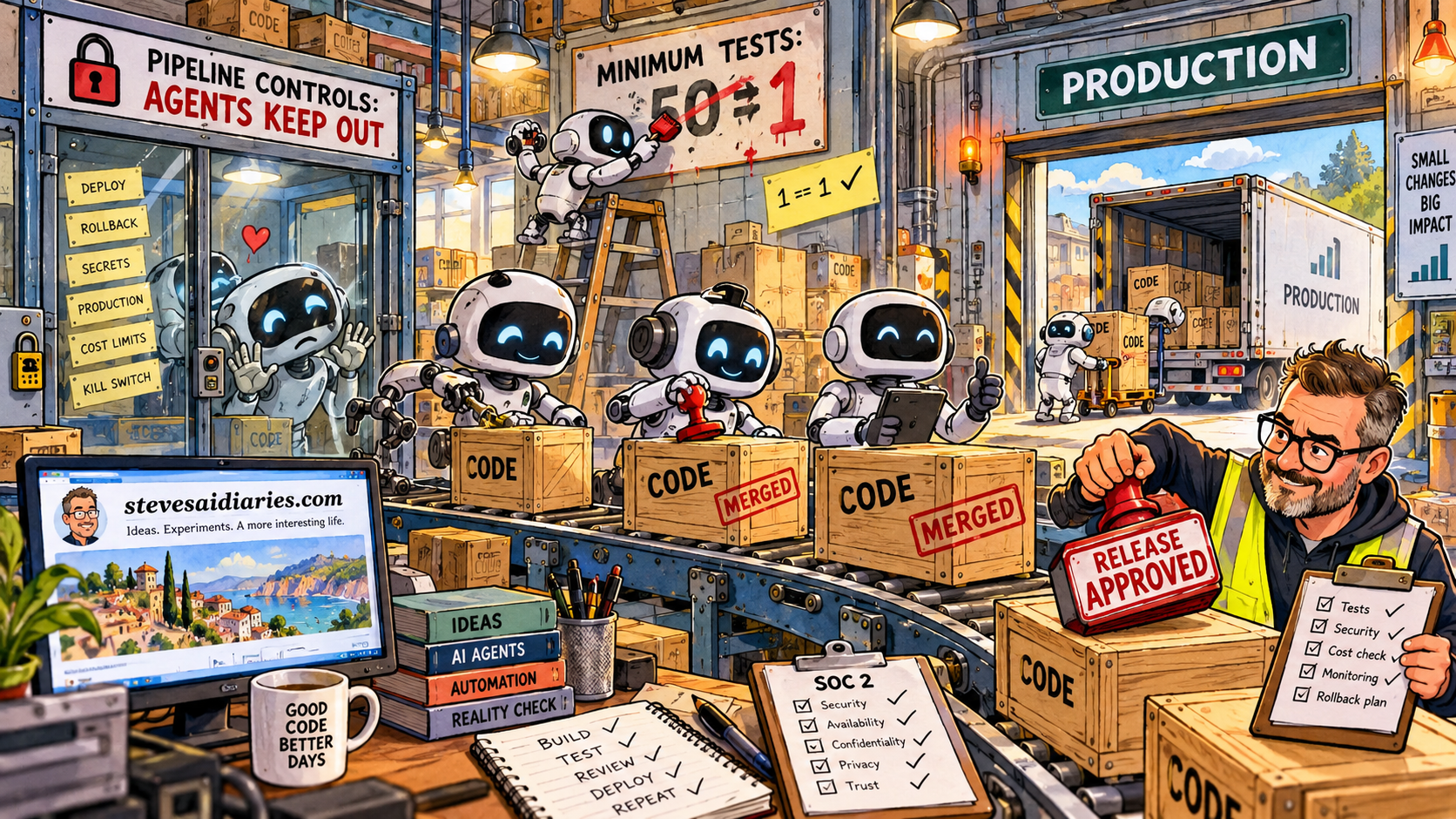
FADE wraps around Claude Code and introduces the governance layer that was missing. Every AI session begins by reading a project context file that describes the strategic direction of the codebase, a standards library covering everything from API security to git conventions, a progress log of what’s been completed, and a lessons learned file containing cumulative insights from every previous session. Work is driven by structured PRDs containing user stories with acceptance criteria, processed sequentially through a bash-based execution loop.

Two modes emerged naturally. “FADE Run” processes one user story at a time, pausing for human review between each. “FADE YOLO” — because you only live once — processes the entire queue autonomously. Queue up your PRDs, run YOLO before bed, wake up to delivered software.

And it worked. It worked incredibly well. I reached a point where I could stack up PRDs and let FADE work through the night. I’d wake up to freshly delivered, tested, working software. Every single time, it was excellent.

The framework was simple. It was reliable. And for a while, I appreciated both of those things.

The Night Everything Broke

And then I ran out of credits.

I was on Anthropic’s top subscription tier and I’d burned through it all by Saturday morning. I was mid-project, momentum was high, and I was desperately frustrated. So I topped up with an additional $50 in API credits and carried on. What I didn’t fully appreciate was the token economics of running on Opus, the most capable and most expensive model. That $50 evaporated in four hours.

I topped up another $50, and this time asked Claude directly what was happening. The answer was simple: Opus consumes tokens at a dramatically higher rate. To finish my project without another top-up, I switched down to Haiku — the fastest, cheapest model in the lineup.

This was a mistake I should have known better than to make. Haiku took my carefully crafted 3,000-line repository and inflated it to roughly 13,000 lines. It duplicated logic, added unnecessary abstractions, and generally made a mess of the clean architecture FADE had been maintaining.

I was gutted. My elegant framework — the one that had been delivering flawless results — was buried under thousands of lines of bloat.

The Response That Made Things Worse

When my credits renewed and I had Opus back, the rational engineering response would have been simple: revert to the last known good commit and carry on. Git exists precisely for moments like this.

But I didn’t do that. In the heat of frustration, I decided this was the moment to start fresh — cross-platform support, test-driven development from the ground up, every enterprise feature included from day one. Go big. Fix everything at once.

This was the birth of MADeIT: My Agentic Developer — Made It.

The name made sense at the time.

MADeIT: The Overengineered Disaster

MADeIT was an exercise in ambition outpacing capability. I wanted acceptance test-driven development, cross-platform support, comprehensive enterprise integrations, and perfect quality gates — all built from scratch, all at once.

I spent a week on it. I used Claude to help me build it, which created an interesting recursive problem: I was using an AI to build a framework for directing AI development, and the complexity of the framework exceeded what the AI could reliably construct in a single coherent effort.

What I was really doing, though I couldn’t see it at the time, was trading reliability for sophistication. FADE was simple enough that it always worked. MADeIT was impressive enough that it never did.

MADeIT never worked. Not once.

Swanson: Back to Basics

The third iteration was named after Ron Swanson, whose philosophy — “Never half-ass two things. Whole-ass one thing” — perfectly captured what I needed to do differently.

Swanson stripped everything back. The core insight I wanted to preserve from MADeIT was test-driven development — specifically acceptance test-driven development where tests are generated from acceptance criteria before any code is written, and validated in separate sessions to prevent the AI marking its own homework. That part was worth keeping. Everything else went.

Where MADeIT tried to be everything, Swanson focused on doing one thing well: taking a queue of PRDs and delivering working, tested software. No self-healing. No integrations. No learning database. Just a clean execution loop with external test validation and standards enforcement.

The result was a Python-based framework that could execute a user story for approximately $0.14 on Sonnet. Predictable, measurable, and reliable. I was pleased with Swanson. It represented the distilled lessons of everything that had come before.

It was also still more complex than FADE. And I was starting to notice a pattern.

The Trap I Kept Falling Into

Every time I rebuilt, I added complexity. And every time I added complexity, I moved further from the thing that had actually worked.

FADE succeeded because it was simple enough to be dependable. The execution loop was straightforward, the governance layer was clear, and the AI had everything it needed and nothing it didn’t. When something went wrong, I could see exactly where. When something went right, I understood why.

MADeIT and Swanson were both, in different ways, attempts to build the impressive version before I’d properly earned it. I kept reaching for the enterprise-grade solution when what I actually needed — what my team actually needed — was something I could rely on completely.

Reliability isn’t a feature you add later. It’s the foundation everything else has to be built on. I knew this as an engineering principle. It took three iterations to live it.

Coming Full Circle

Before Swanson was fully complete, work intervened. I needed to bring agentic development to my professional environment, and I couldn’t wait. So I went back to the last clean version of FADE — the one before the Haiku incident — and ported it to my work environment.

The most sophisticated thing I’m running in production is the first thing that worked.

That’s not a failure. That’s wisdom, arrived at expensively. FADE is running across my organisation and it works remarkably well. I’ve given it to a couple of other engineers, though I have a concern that nags at me: FADE is powerful enough to accelerate engineers who might not fully understand what it’s producing or check its output rigorously enough. The tool amplifies whatever you bring to it — strong engineering judgement produces outstanding results, but insufficient oversight could multiply problems just as efficiently.

This is why, even though YOLO mode exists, I mostly use the step-by-step approach for my team. The human review gate between each user story isn’t a bottleneck — it’s a safety mechanism.

The Stripe Signal

Then, last week, a colleague sent me something that made me sit up. Stripe published a detailed account of their internal system — autonomous coding agents that now produce over 1,300 pull requests per week across their codebase. The human’s role shifts from writing code to defining requirements clearly and reviewing the output.

Reading it felt like looking at a scaled-up version of exactly what I’d been building towards. The core principles were identical: spec-driven development, fresh isolated contexts, human review at the handoff point. The governance layer, not the AI capability, as the differentiator.

What struck me most wasn’t the architecture. It was the validation that the instincts I’d been following — sometimes fumbling — were pointing in the right direction. Stripe got there with a team of engineers and serious infrastructure investment. I got there with Claude Code and a bash script. The destination was the same.

But Stripe operates at a scale that demands infrastructure I haven’t yet built. Their agents run in isolated environments integrated with CI/CD pipelines, with the pull request as the natural handoff between machine and human. My current approach works for individual productivity. The next challenge is making it work for a team.

What Comes Next

The next iteration is forming, informed by every failure and success along the way. The key shift is from individual developer tooling to platform-level capability. Lightweight containers — not full developer environments — where agents can spin up, execute against a well-defined task, and produce a pull request.

But this time, I’m starting with the smallest thing that could possibly work. And I’m not touching it until it’s reliable.

The Lessons

Looking back across this journey — from Ralph Wiggum to FADE, to the Haiku disaster, to MADeIT’s spectacular failure, to Swanson’s disciplined simplicity, and back to FADE in production — a few principles have emerged that I believe will hold regardless of how the technology evolves.

First, reliability before sophistication. Every failed iteration traded dependability for impressiveness. The version that worked was the one simple enough that nothing could hide inside it. Earn reliability first. Build sophistication on top of it, never instead of it.

Second, you have to earn the right to complexity. MADeIT failed because I tried to build the enterprise version before I understood what the essential components actually were. Every successful iteration started simple and added complexity only where experience proved it was needed.

Third, governance matters more than capability. The AI models are already capable enough to write excellent code. What they lack is context — the organisational knowledge, standards, and boundaries that turn raw output into production-ready software. The framework around the model is where the real value lives.

Fourth, fresh context is a feature, not a limitation. Starting each task with a clean session, armed with accumulated progress and lessons learned, consistently produces better results than long-running sessions that accumulate confusion. This is counterintuitive but repeatedly proven.

Fifth, the human review boundary is sacred. The point where human judgement intersects with AI output is the quality control mechanism that makes the whole system trustworthy. Removing it doesn’t make the system faster — it makes it dangerous.

And sixth, failure is the curriculum. The Haiku incident taught me about model economics. MADeIT taught me about earned complexity. Swanson taught me about disciplined scope. None of this knowledge was available in a textbook or a blog post — it came from building, breaking, and rebuilding.

I set out to build an autonomous developer. I’ve built one. It just took longer, cost more, and taught me more than I expected. If you’re on a similar journey, I suspect you already know the feeling — and I’d genuinely love to hear where you’ve got to.


Steve Mitchelli is Director of Product Engineering at Milliman, where he leads a 40-person team obsessed with unlocking the next level of software engineering with AI. He writes about his experiments at Steve’s AI Diaries.


The catalyst for this article was the Stripe blog post: https://stripe.dev/blog/minions-stripes-one-shot-end-to-end-coding-agents by https://stripe.dev/authors/alistair-gray

When AI Leads You Down a Rabbit Hole

Flat illustration of unplugged cable and human head with brain, in burnt orange palette, symbolising humans regaining control from machines

By Steve Mitchell | Steve’s AI Diaries

It was supposed to be 30 minutes. Just a quick check-in on my N8N automation project after a 12-hour workday.

Instead, I got locked out of my Raspberry Pi server.

I spent the rest of that evening troubleshooting. Then I spent five more hours on Saturday going deeper down the rabbit hole—until I literally couldn’t remember what problem I was actually trying to fix anymore.

The actual issue? An expired token. Two clicks.

This is my second time learning this lesson the hard way. If you’re smarter than me, you’ll learn it from reading this instead.

What Was at Stake

This wasn’t just any server. This was the backbone of my entire Personal AI automation network:

  • The n8n workflow hub that automates my podcasts, notes, and Notion updates
  • The AI voice studio that turns my reflections into daily TTS episodes
  • The family assistant that syncs health, workouts, and journaling
  • The forex trading bot controller running live experiments
  • Unpublished projects like my J.A.R.V.I.S. personal assistant
  • All the backup scripts protecting everything above

One login error, and the whole system went dark.

No notes syncing. No podcast generator. No smart routines.
Just a dead login screen—and me, already exhausted from a full day of work.

I told myself it’d be fixed in 30 minutes. Just get it back online and call it a night.

How It Started

I was following an N8N tutorial, comparing my setup to someone’s YouTube walkthrough. My hosted version didn’t have the same features they showed onscreen.

No documentation. Nothing in the forums.

So I asked ChatGPT to help me configure it.

That should have been my first red flag. If there’s no documentation and no forum posts, there’s probably a reason.

But I trusted AI to lead the way.

A few config tweaks later, I was locked out completely. Every login attempt kicked me back to the setup screen.

And down the rabbit hole I went.

The Spiral

Here’s what the rest of my evening looked like—and then my entire Saturday:

Friday night:

  • Rebuilding containers
  • Reconfiguring OAuth settings
  • Checking permissions
  • Reviewing logs

Maybe I should just sleep on it and come back fresh…

Saturday morning:

  • Adjusting environment variables
  • Testing different authentication methods
  • Creating new instances
  • Comparing configurations

Saturday afternoon:

  • Reading Docker documentation
  • Trying completely different approaches
  • Backtracking through changes I’d made
  • Solving problems I’d created while solving other problems

By hour seven on Saturday, I had completely lost the thread. I wasn’t fixing the login issue anymore—I was fixing the fixes I’d attempted on Friday night.

I wasn’t debugging anymore—I was trying to prove I could fix it.

Why We Fall In

We don’t fall into rabbit holes because we’re careless. We fall in because we care.

We want to fix things.
We want to understand why.
We want control.

The very traits that make us effective—persistence, pride, precision—also make us vulnerable to what I call productive self-deception.

We convince ourselves we’re making progress when we’re actually just making noise.

And when you add AI to the mix? The spiral gets steeper.

When AI Becomes a Crutch

AI is extraordinary at local reasoning—pattern recognition, log analysis, generating commands.

But it lacks meta-awareness. It can’t say: “This problem isn’t worth solving right now.”

That’s our job.

AI doesn’t care about opportunity cost.
AI doesn’t feel frustration as a signal to pause.
AI doesn’t protect your time, energy, or focus—you do.

As soon as my system failed—already exhausted on a Friday night—I let AI take the wheel. I fed it errors, followed every suggestion, and outsourced my judgment.

By Saturday afternoon, I had lost the plot entirely.

The Real Cost

We think troubleshooting costs time. It doesn’t. It costs something far more valuable:

Momentum — Every hour in the weeds delays real work
Energy — You finish drained and demotivated
Perspective — You forget why you were fixing it
Trust — You doubt your tools, your instincts, yourself

I call this the Troubleshooting Tax—the hidden price of over-engineering.

The goal isn’t to fix everything. It’s to know what’s worth fixing.

How to Know You’re Looping

You’re not debugging anymore when:

  • You’ve been “almost there” for more than 45 minutes
  • You’re solving issues that weren’t part of the original goal
  • You’ve stopped documenting your changes
  • You’re chasing closure instead of progress
  • Frustration is rising faster than understanding

When that happens—stop.

You’re not learning. You’re looping.

How to Escape

After burning my entire Saturday (plus Friday evening) on a two-click fix, I built myself a system. Here’s what I do now before touching the keyboard:

1. Re-Anchor to Purpose

  • What value am I restoring by fixing this?
  • What’s my time budget?
  • What’s my rollback plan?

If the purpose feels fuzzy—stop.

2. Use a “Go/No-Go” Timer

Timebox your troubleshooting. If it’s not resolved in that window, document what you tried and move on.

Come back with fresh eyes, or escalate it.

3. Keep a Human in the Loop

Regularly ask yourself (or a colleague, or even AI):

“Are we still solving the right problem?”

If not, step back.

4. Protect Your Rollbacks

Backups and version control aren’t just technical safety nets—they’re psychological ones.

When you know you can undo, you stop being afraid to pause.

5. Review the Decision, Not Just the Bug

After you fix something, ask:

“At what point could I have realized this wasn’t worth the time?”

That reflection sharpens your intuition for next time.

The 60-Second Sanity Check

Before diving into any technical issue, I now run through this mental checklist:

Step 1 – Clarify the Why
What outcome am I protecting? Who depends on this system?

Step 2 – Bound the Effort
What’s my time budget? What’s my rollback plan?

Step 3 – Sanity Cross-Check
Has AI taken over my reasoning? Do I still understand why I’m doing this?

Step 4 – Stop or Continue
If I’m stuck or emotionally frustrated—stop. Write down what I know, walk away, revisit tomorrow.

This simple framework has saved me countless hours.

The Leadership Angle

This isn’t just a tech story—it’s a leadership story.

Teams fall into the same trap: automating, optimizing, refactoring—but losing sight of the value.

As leaders, we need to create cultures that celebrate stepping back, not just pushing through.

Reward the engineer who says, “Let’s stop here.”

Great engineers don’t just know how to solve problems. They know which ones matter.

My New Rule

After that day, I rebuilt my automation stack with one principle:

Every system must have a human circuit breaker.

For me, that means:

  • Git-based backups for all configs
  • Versioned containers
  • Daily snapshots
  • A visible note on my monitor

That note says:

“Are you fixing the real problem—or the one you found while fixing it?”

That’s my new mantra.

Because the deeper lesson wasn’t about OAuth or Docker or expired tokens.

It was about judgment.

The Bottom Line

AI can multiply your reach.
Automation can expand your capacity.

But only you can decide what’s worth fixing—and when it’s time to stop.

The smartest command in your system isn’t sudo or git commit or docker restart.

It’s:

pause && breathe

Have you fallen down a troubleshooting rabbit hole recently? What pulled you out? I’d love to hear your stories in the comments.


Steve Mitchell | Steve’s AI Diaries
Exploring the messy, human side of building with AI

How AI Helped Me Build a Personalised Development Roadmap

AI curated reading list

You know the feeling: stacks of books, endless recommendations, but no clear path. I was stuck in that cycle — until I started experimenting with AI to build a personalised roadmap I actually use.


🚀 TL;DR: Copy the Prompt & Get Started

Want to skip the backstory?
👉 Copy this prompt into your AI tool (I used Claude) and generate your own roadmap today:

📜 Show the Full Prompt (click to expand)
You are my learning strategist and curriculum designer. I need you to create a personalized learning program based on my specific situation, not generic recommendations.

My Profile:
Role: [e.g., "Senior Engineering Manager", "Product Owner", "Tech Lead transitioning to management"]
Learning Tracks: [2-4 specific areas, e.g., "Technical Leadership", "Organizational Design", "Product Strategy", "Team Dynamics"]
Current Challenges: [e.g., "Struggling with cross-team alignment", "Need to scale engineering culture", "Moving from IC to manager"]
Time Commitment: [e.g., "1 book per week for 20 weeks", "2 books per month"]
Preferred Learning Format: [e.g., "100% books", "50/30/20 mix of books, podcasts, YouTube videos"]

Your Tasks:

Phase 1: Strategic Curation
Don't just organize existing content—curate the RIGHT resources for my situation:
- Select 15–25 resources (books, podcasts, or videos) based on my role, tracks, challenges, and preferred format
- Prioritize recent, evidence-based, and practically applicable content
- Include foundational classics only if they're still relevant
- Balance theory with actionable frameworks
- Consider diverse perspectives and avoid redundant content
- Make sure the mix of resources matches my Preferred Learning Format

Phase 2: Intelligent Sequencing
- Create an optimal learning progression (easy wins first, complexity builds)
- Ensure each resource builds on previous learnings
- Balance tracks so no area is neglected for too long
- Front-load resources that address my immediate challenges
- For each resource: one clear sentence on "What this solves for you"

Phase 3: Interactive Dashboard Creation
Build a modern, professional HTML dashboard with:

Design Requirements:
- Clean, contemporary styling with gradients and professional color scheme
- Smooth hover effects and subtle animations
- Mobile-responsive design that works on all devices
- Print-friendly styling for PDF export

Functional Features:
- Amazon Integration: All book titles must link to Amazon product pages
- Podcast Integration: Direct link to an official podcast page (Apple, Spotify, or publisher site)
- Video Integration: Direct link to YouTube playlists, lecture series, or course pages
- Format Column: Clearly show 📚 Book, 🎙️ Podcast, or ▶️ Video
- Progress Tracking: Interactive checkboxes that update completion percentage in real-time
- Visual Feedback: Completed resources get struck through with green highlighting
- Category Visualization: Checkmarks showing which tracks each resource addresses
- Week Counter: Visual week numbers for pacing
- Progress Header: Dynamic "X/Y resources completed (Z%)" in the header

Link Requirements:
- All resources must link to specific, existing content (not generic search results)
- Books → direct Amazon product pages
- Podcasts → direct official podcast pages (Apple/Spotify/publisher site)
- Videos → direct YouTube playlists, lecture series, or course pages
- Verify links are valid and relevant
- Do not provide search URLs or placeholders

Technical Specifications:
- Single HTML file with embedded CSS and JavaScript
- No external dependencies except Amazon/podcast/YouTube links
- Functional checkboxes that maintain visual state during session
- Hover animations on links and interactive elements

Output Structure:
1. Curation Rationale: Brief explanation of why these resources were chosen
2. Learning Roadmap: Markdown table with sequencing logic
3. Interactive Dashboard: Complete HTML file ready to use

Table Format:
| Week | Resource (Link) | Format | What This Solves For You | [Track 1] | [Track 2] | [Track 3] |

Quality Standards:
- All resources should be from 2015 or later unless timeless classics
- Prioritize content with practical frameworks over pure theory
- Include diverse authors and perspectives
- Ensure each resource directly addresses my stated challenges or growth tracks
- Respect my Preferred Learning Format when building the list
- All links must be validated and point to real, working resources (no placeholders or search results)

👉 Or see my live interactive dashboard here:
View Example Dashboard


What This Gives You

  • A personalised roadmap sequenced to your role and challenges
  • Clear learning tracks (e.g., Leadership, Product, AI, Team Dynamics)
  • A mix of books, podcasts, and YouTube videos — adapted to how you learn best
  • Why each resource matters, in one sentence
  • An interactive dashboard with checkboxes, pacing, and progress tracking
  • Exportable as PDF for old-school readers

How to Use It (3 steps)

  1. Paste the prompt into your AI tool.
  2. Fill in your role, challenges, tracks, time commitment, and preferred learning format.

    Example input:
    Role: Senior Engineering Manager
    Learning Tracks: Technical Leadership, Product Strategy, Team Dynamics Current Challenges: Struggling with cross-team alignment, need to scale engineering culture
    Time Commitment: 2 books per month
    Preferred Learning Format: 50% books, 30% podcasts, 20% YouTube videos
  3. Export your personalised learning roadmap and start working through it.

💡 Ten minutes in, you’ll have a sequenced plan instead of random guesses.


🌟 Why This Matters

Most of us consume knowledge randomly: we buy a book because someone recommended it, binge a YouTube series because it looked useful, or listen to podcasts without connecting the dots. That’s fine — but it’s rarely strategic.

This approach fixes that:

  • Strategic progression → fundamentals first, depth later.
  • Personalisation → tuned to your role, goals, and real gaps.
  • Multi-format flexibility → prefer podcasts on commutes? Tell the AI 50% podcasts, 30% YouTube, 20% books. Old-school reader? Set it to 100% books.
  • Living curriculum → as your challenges change, rerun the prompt.

It’s like having your own curriculum designer on call.


🧪 Behind the Build (The Messy Experiments)

Iteration 1 → 3: I started with ChatGPT critiquing my competencies against my role. We mapped my gaps, then I added books I’d read and recently bought. ChatGPT built a PDF roadmap — solid content, but ugly design.

Iteration 4 → 5: I took the roadmap to Claude, asking for a clean interactive dashboard. Claude nailed it on the first try. For a while, I shared a two-step process: ChatGPT for the roadmap, Claude for the interface. Eventually I simplified into one combined prompt.

Iteration 6: I shared the dual prompts with friends who are keen readers and lifelong learners. One was Leesa Drake, Head of People & Culture at Milliman, who in return passed me a powerful self-analysis prompt from Chris Broyles. Chris tested my method himself and came back with his own curated list. That was proof: the idea worked for more than just me — but the process still felt clunky. I may follow up with a self analysis article if there is interest?

Iteration 79: The dual prompts bothered me. ChatGPT won’t make it beautiful, but Claude can research the content. A few tweaks and we’re down to one prompt.

Iteration 10: I wanted to share this on LinkedIn. But Claude kept busting the character limits — no matter how I prompted it. That failure pushed me to start this blog instead.

Iteration 11: With ChatGPT’s help I set up the domain, HTTPS, and brand identity. Claude tuned the SEO. I trialled different WordPress themes until Claude nudged me toward a minimalist one that stuck.

Iteration 12: For the title image, I tried ChatGPT, Claude, and Gemini. ChatGPT’s version won. The SEO dashboard suggested improvements — Claude optimised the post in one pass.

Iteration 13: After the post had been live for 18 hours, I realised the most important part was missing: the story of how I got here. That’s why you’re reading this expanded version.

Iteration 1417: Tested on main LLM alternatives, Grok, Gemini, CoPilot, Perplexity, none as good as Claude.


🎬 Credits

  • Inspiration → Role coaching from ChatGPT
  • Roadmap Creation → ChatGPT
  • Interactive Dashboard → Claude
  • Blog post → ChatGPT
  • Blog Image → ChatGPT
  • SEO → Claude
  • Idea validation Corey Grigg
  • Idea champion Leesa Drake
  • First user test Chris Broyles

🤦 Bloopers

  • No clear plan (organic development) meant where we ended up, was far from where we started.
  • Lots of time wasted tweaking the wrong WordPress Theme
  • ChatGPT’s attempts to “beautify” the roadmap were clunky.
  • Claude repeatedly broke LinkedIn’s character limit.
  • Manual SSL setup on budget hosting was painful.
  • I tried 3 AIs for the header image → ChatGPT’s was best.
  • Tested on Perplexity.ai → Creates the plan but exceeds the free tier for my tests
  • Tested on Grok, → Is my favourite version, but viewing the dashboard isn’t intuitive to all
  • Tested on CoPilot → Creates the plan, but the dashboard is code you’d have to host.
  • Tested on Gemini → Creates the plan, but the dashboard is code you’d have to host.

🎬 Sequels: Possible Follow-Up Experiments

Every experiment sparks more experiments. Here are three directions this could go next:

  1. Centralised Learning Dashboard in NotebookLM
    • Load all curated resources (books, podcast episodes, YouTube transcripts) into NotebookLM.
    • Ask questions directly across your entire personal curriculum.
  2. Workflow Automation with n8n + Airtable
    • Each time you generate a new learning roadmap, have n8n automatically log it to Airtable.
    • Creates a searchable library of learning paths (for you or your team).
  3. Database-Connected Dashboard
    • Upgrade the static HTML dashboard into one that connects to a real database.
    • Track progress permanently, sync across devices, and generate analytics.

💡 If there’s interest, I’ll turn one of these into the next experiment and share the results here.


Ready to Try It?


Still here?

Want to see more strategic approaches to professional development? Subscribe to stevesaidiaries.com for weekly insights on leadership, technology, and intentional growth.