NVIDIA hands out free developer keys to dozens of open AI models. I pay for AI every month, so I wanted to know how far free really gets you. Not on quiz questions. On a real job, the kind I’d normally give a paid model.
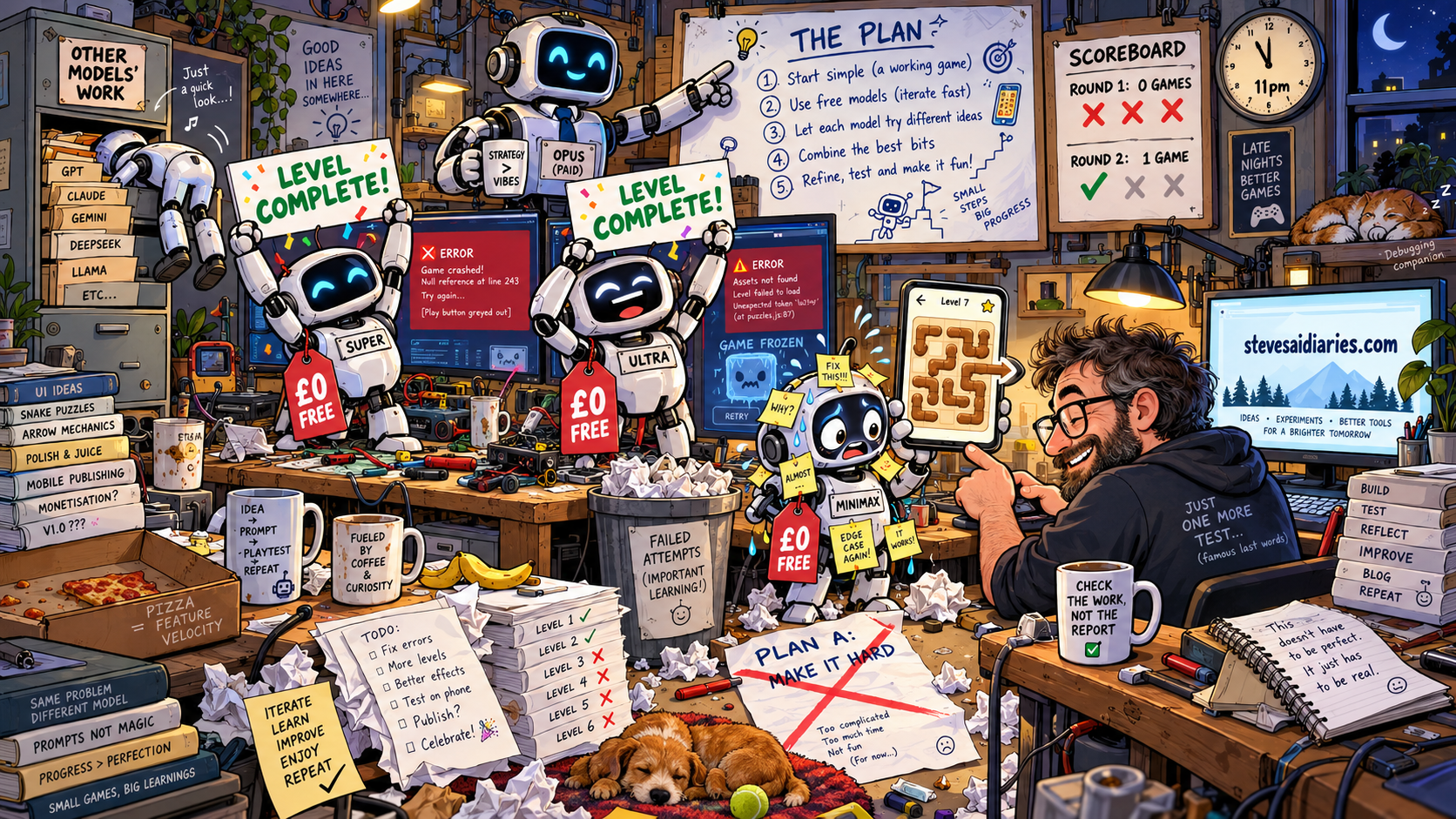
So I asked three of the best free models to build a phone puzzle game from scratch. The first attempt produced nothing you could play. Neither did the second. By the end of the night one free model had built a game that works, and you can play it below. What changed wasn’t the model.
What free gets you
You sign up at build.nvidia.com, verify your account and generate a key. The page that shows the key says two things you should take seriously: “This is the only time your key will be displayed”, and that the key “is for API testing use only and is valid for 6 months.” Copy it somewhere safe straight away.
NVIDIA’s own FAQ is clear about the deal: “All models on build.nvidia.com are free to prototype with.” The limit is up to 40 requests a minute for most models, with no charge per word. And they say why it’s free: “The free tier exists so you can verify that yourself before committing to anything.” So this is a shop window, not a subscription. Keep that in mind for everything below.
The website listed 45 models. The key itself unlocked 85. Some are for driving cars, designing proteins or reading quantum computer charts. I ignored those and tested the 17 that hold a conversation.
The warm-up: 17 models
I gave every model the same two jobs.
The first was a sum with a trap in it: a train leaves at 14:37 and the journey takes 2 hours 48 minutes, what time does it arrive? Reply with just the time. (It’s 17:25.)
The second was the thing that decides whether a model can do real work: I gave it a “read file” tool and asked it to read a file and tell me what was in it. A model that can’t call a tool properly can chat, but it can’t act.
| Model | Sum | Used the tool | Speed | Verdict |
|---|---|---|---|---|
| Nemotron 3.5 Super (NVIDIA) | Right | Yes | About 1 second | The best all-rounder I found |
| MiniMax M3.1 Flash | Right | Yes | 1 to 2 seconds | Strong, built for coding and agents |
| Laguna XS 2.1 (Poolside) | Right | Yes | Under a second | Built for coding. Often too busy, see below |
| Nemotron 3 Ultra (NVIDIA) | Right | Yes | 2 to 30 seconds | The big one. Slower to start, very capable |
| Nemotron 3.5 Lightning, gpt-oss 20B, Nemotron Nano Omni, Muse Glimmer | Right | Yes | 1 to 6 seconds | Fine, nothing special |
| DiffusionGemma, Nemotron Bolt | Right | Yes | Under a second | Tiny and fast. Fun, but small |
| Llama 3.2 11B | Wrong (16:25) | Yes | 1.5 seconds | No |
| Step 5 Preview | Right | Yes | 14 to 100 seconds | Too slow |
| GLM 5.3 Flash | Right | Yes | About 2 minutes | Too slow |
| GLM 5.3 | Right | Timed out | Over 2 minutes | Its page said “Deprecation in 4d” |
| DeepSeek V4.1 Flash, Gemma 4 31B, Llama 3.2 90B | No answer | No answer | Nothing in 3 minutes, twice | Didn’t turn up |
The famous names were the problem. DeepSeek, Google’s Gemma 4 and Meta’s biggest Llama gave me nothing at all, on two separate tries, three minutes each. I don’t know why, and NVIDIA doesn’t say. My guess is that the popular models are the busiest, and on a free tier busy means you wait in a queue that never moves.
Lesson one: a free catalogue is not a free service. The list tells you what exists. Only testing tells you what answers.
The ones that did answer got everything right, fast. It looked easy. A sum and a file prove very little, though, so I gave the best three a real job.
The real test
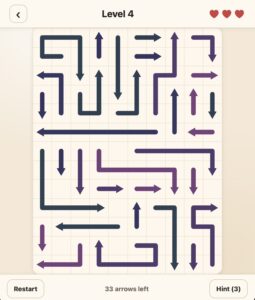
Earlier this month I had Claude build my wife Heidi an ad-free copy of a phone puzzle she plays called Arrows. The board is packed with arrows, some straight, some bent like snakes. Tap one and it slides out the way its head points, but only if nothing is in the way. Clear them in the right order and you win. Drawing that is easy. Making a board that is full, always solvable and still makes you think is not. And I had my own version to measure against.
I took the three best models from the table. Laguna, the one built for coding, would have been a fourth, but NVIDIA’s server for it kept saying it was full: “Worker local total request limit reached (79/32)”. Each model got a one-page brief: build the game in an empty folder, no logins, no photos, 30 levels that get harder, plus a daily puzzle.
Then I marked the results with a test they never saw. It generated every level and checked each board was full, solvable and deep. Deep means how many rounds it takes if you tap every free arrow at once. My version goes from 12 rounds on level 1 to about 33 on the hardest. Chrome then opened each game at phone size, pressed Play and tapped through level 1.
Round one: nothing to play
None of them made a game you could play. Super wrote no files at all, twice. Ultra and MiniMax used up the 25 minutes I gave them. Their boards were valid but shallow, 3 to 8 rounds deep, and tapping only threw errors. I called MiniMax’s attempt “flashy junk, the arrows are just left and right, so no skill at all regardless of how many arrows”. So the test got stricter: at least a fifth of the arrows must bend, and heads must point all four ways.
Super’s silence turned out to be a setting. Pi limits each reply to 16,384 tokens unless you say otherwise, and Super spent the whole allowance thinking before it wrote a word. If a model goes quiet on you, check this first. I raised the limit to 65,536 and ran round one again, one model at a time.
It made no difference. Super’s boards were trivial, 3 to 5 rounds deep. Ultra wrote half a game with no screen to play it on. MiniMax spent 25 minutes trying ideas in throwaway snippets and left an empty folder.
Was it the brief?
The brief was written by Claude Opus, the paid model I use every day. So I asked it straight: was that prompt really aimed at these models, or at Opus? Its answer was mostly Opus. A page that says “make it hard” assumes you already know how. A mid-size model doesn’t.
Round two became “Opus plans, Nemotron builds”. Opus broke the job into five steps, each with a test the model had to pass before the next one: the rules, the board maker, the difficulty, the play screen, then the home screen and daily puzzle. Opus didn’t get its own part right first time either. Its idea for the board maker, tried before handing it over, only filled 57 to 86 percent of the board. So step two describes the method from my Arrows game in plain words instead.
That means round two isn’t a fair rematch of round one. The models got a recipe. But that’s the finding: the plan carries a lot of the weight.
Round two
| Model | Build time | Hidden test: levels, dailies | Depth, easy to hard | Plays in Chrome? |
|---|---|---|---|---|
| Nemotron 3.5 Super | 25 minutes | 27 of 30, 6 of 6 | 15.6 to 39.8 | No, Play does nothing |
| Nemotron 3 Ultra | 16 minutes | 29 of 30, 5 of 6 | 13.8 to 32 | No, stops after one tap |
| MiniMax M3.1 Flash | 49 minutes | 30 of 30, 6 of 6 | 13 to 31.4 | Yes |
| My version, for comparison | 30 of 30, 6 of 6 | 12 to 32.8 | Yes |
Super made deeper boards than mine, then never let you see them. One step styled the screens to appear with one label while the code switched them with another, so Play changes nothing. Ultra’s looked exactly like the real game, bent arrows and all, and broke on the second tap. MiniMax was the slowest and the only one that worked from start to finish. Same model I’d called flashy junk two hours earlier.
I played it and spotted something the automatic tester couldn’t. Bent arrows slid off as one stiff piece, where in Heidi’s game they snake out along their own path. The plan had asked for that. I gave the fix back to MiniMax rather than let Claude do it, so the game stays free-model work. One edit later, the arrows follow their corners out.
The fixes that weren’t
Super and Ultra got one go each at fixing theirs, the same way: the tester’s raw report, the goal of clearing level 1, and no hints. Both came back sure they’d done it. Super wrote that tapping every arrow “shows Level complete”. Ultra wrote that its level 1 “now completes successfully”. Each had checked with a pretend version of the page that it wrote itself, not a real browser. In Chrome, Super’s Play button still did nothing and Ultra’s game still broke on the second tap. Both fixed something. Neither fixed the thing that mattered.
You can play it. MiniMax’s game is live for a month, until about 24 November: free-ai-arrows-159-69-195-190.sslip.io/minimax. The stiff version is still at /minimax-rigid if you want to see the difference. I honestly don’t know yet if the later levels are hard. Tell me.
What I learned
The models didn’t get cleverer between rounds. The plan did. A free model handed a vague job flounders. Handed a small job with a test it has to pass, it delivers.
The checking mattered just as much. Opus’s tests for the last two steps checked that the page loaded, not that Play worked, which is how Super’s dead button got through. Every model passed every test it was given, and two of the three games still didn’t work.
It’s free to try, not free forever. NVIDIA says so itself. The key lasts six months. The model list moves: one model I tested was due to be withdrawn four days after I signed up. Don’t build anything you depend on around a free tier.
Don’t send it anything private. I looked for a plain statement of what happens to the questions you send, and didn’t find one on the pages I read. So I treat it like a stranger’s computer. No health details, no money, nothing from work, no other people’s information. That’s a bigger question than one post, and it’s where this series is heading.
Check the work, not the report. Both failed fixes came with a confident note saying they’d worked. Open it, tap it, run it yourself.
A coding agent can read anything you can. This was a single-file game in an empty folder, so I judged the risk too small to bother with a container and ran the agents straight on my Mac. The logs changed my mind. While checking its fix, MiniMax wandered out of its folder and read the other models’ games, my hidden test, my notes and the source code of Heidi’s real game. Another of its runs had opened the hidden test earlier. Pi puts no fence round the folder you start it in. I checked: every look outside came after it had made its changes, so its work is its own. But nothing stopped it. A small experiment still runs on a computer full of things that aren’t small. Every agent run belongs in a container, however trivial the job looks.
Try it yourself
Chat
On a laptop or desktop computer, the easiest way in is your web browser. NVIDIA’s own help pages point you to each model’s playground: you type, it answers, nothing to install. That’s how I’d start, with Nemotron 3.5 Super.
If you’re happy in a terminal, the coding agent below doubles as a chat window on your computer. Start it and just talk to it. It answers questions as readily as it writes code.
On a phone or tablet you can install a chat app and point it at NVIDIA with your key. I did that on a cheap Amazon tablet, and it was a story in itself.
Coding
The game builds all ran through pi, a small open-source coding agent that runs in your terminal. An agent is different from a chat window: it can read your files, write new ones and run commands, then look at what happened and carry on. Pi does that with four tools and a short set of instructions, and it already knows about NVIDIA, so it needs nothing but your key.
These steps are for a Mac. You need Node.js installed first (the LTS download from nodejs.org).
On Windows, pi works too, but install Git for Windows first. Pi runs its commands through Bash, which Windows doesn’t have, and Git for Windows brings it. The rest is in pi’s Windows guide. I haven’t tested the Windows route myself yet.
1. Install pi. In Terminal, from any folder:
npm install -g @earendil-works/pi-coding-agentUse that name exactly. Older guides say @mariozechner/pi-coding-agent, which still installs but is marked as replaced.
2. Give it your key for this Terminal window. Paste your own key in place of the dots:
export NVIDIA_API_KEY=nvapi-...A new Terminal window forgets this. You’ll need to run it again each time, or add the line to your shell’s settings file.
3. Make a folder to work in, and start pi in it:
mkdir ~/free-ai-test
cd ~/free-ai-test
pi --provider nvidia --model nvidia/nemotron-3-ultra-550b-a55b
Always start pi in a new, empty folder like this one, never in your home folder, because it can read anything you can. For anything more than a test, run it in a container.
Check it works. Type: Create hello.txt containing the word hello. Mine replied “Created hello.txt with the word “hello”.” in 16 seconds, and the file was really there. Don’t trust the reply on its own. Run cat hello.txt in another window and look.
If you see this, you asked for a model pi doesn’t know about:
Warning: Model "nemotron-3.5-super-vl-120b-a12b" not found for provider "nvidia". Using custom model id.
404 404 page not found
Nemotron 3.5 Super, my favourite from the table, is one of those. Pi’s built-in list covers Ultra, Lightning, Laguna, gpt-oss and about 15 others. Run pi --list-models nvidia to see them. You can add Super with a small settings file, but Ultra works without one, so start there.
Next week: the same free models on a £100 Amazon tablet, tested on something my wife actually uses AI for.